How to play
- Press Start Game. The flower begins to lean on its own.
- When it tips to the left, tap Left (or press A or the left arrow key). When it tips to the right, tap Right (D or the right arrow).
- Each good catch is a step forward. Your score is how many metres you walk before the flower falls over.
- Tap the side it is leaning toward, not the other one. Tapping the wrong side pushes it over even faster.
Tips
- Do not tap the moment it starts to lean. Let it tip a little, then catch it. That gives a bigger step and a "Perfect!".
- Waiting too long is the most common way to fall. If it is leaning a lot, tap straight away.
- Tapping the same side twice works in a pinch, but it is a weak hop with no forward progress. Several hops in a row will not save you.
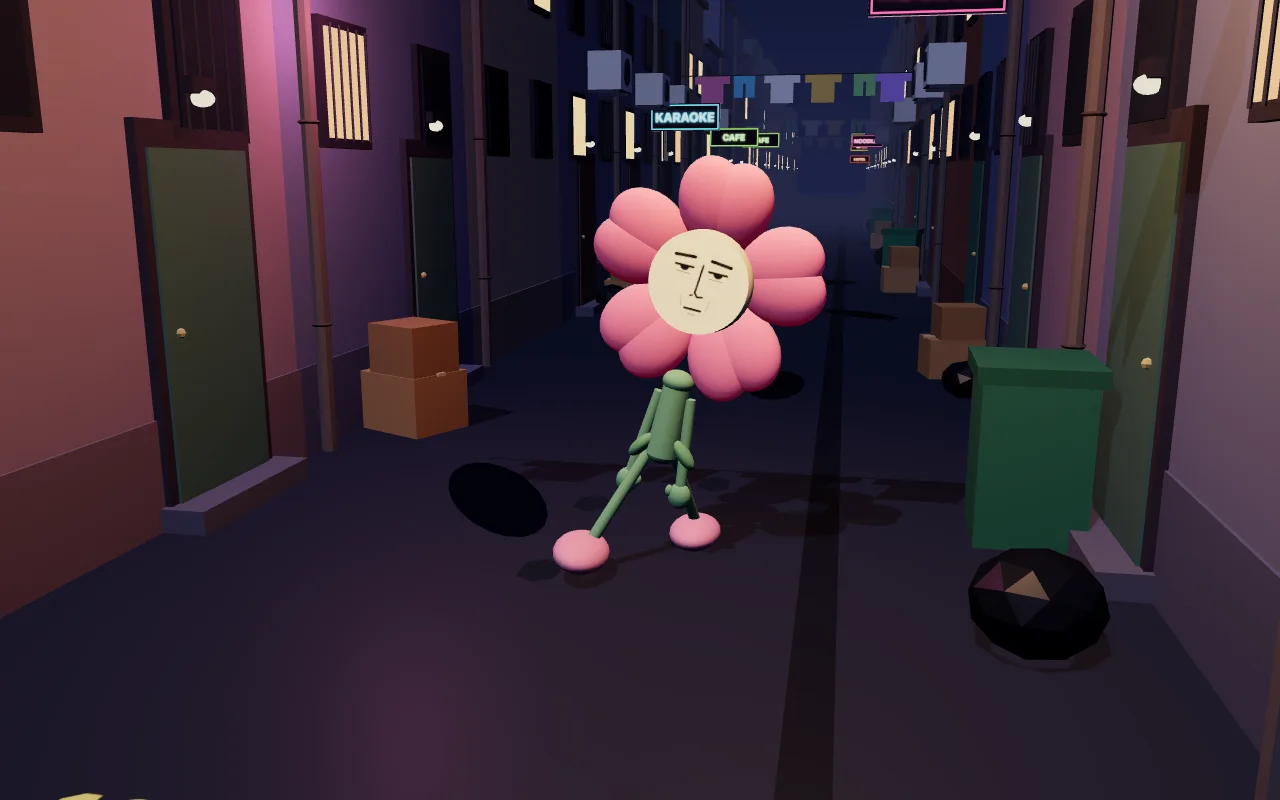
- From about 8 m it hiccups every few seconds. The sign at the top flashes "Hic!" just before one, with an arrow for the way it will throw the flower, so get ready to tap a little earlier on that side.
- Mashing both buttons does not work. The flower only moves when you catch it at the right moment.
- Each new colour for the flower has its own goal: ride out a hiccup (Sunflower), take 6 perfect steps in a row (Lavender), catch yourself at the last second 3 times in one go (Bluebell) and walk 60 m (Rainbow). They are shared with Petal Pull.
About Wobble Walk
Wobble Walk is a tiny balance game about a pink flower with a very serious face, noodle legs and big pink shoes, on its way home down a back alley late at night. It has had a few, though you would never tell from its face. Every step it takes makes it tip one way or the other, and it is up to you to catch it before it goes over.
Rounds are short, usually somewhere between ten and forty seconds, so it is easy to have just one more go. The further you get, the faster it sways, and soon it starts hiccuping: every hiccup throws it sideways.
Questions
Is Wobble Walk free?
Yes. It is free to play in your browser with no account, download or app needed.
Does it work on phones?
Yes. On a phone you get two big Left and Right buttons at the bottom of the screen. On a computer you can also use A and D or the arrow keys.
Where is my best score saved?
Your best distance is stored in your browser on this device only. Clearing your browser data resets it.